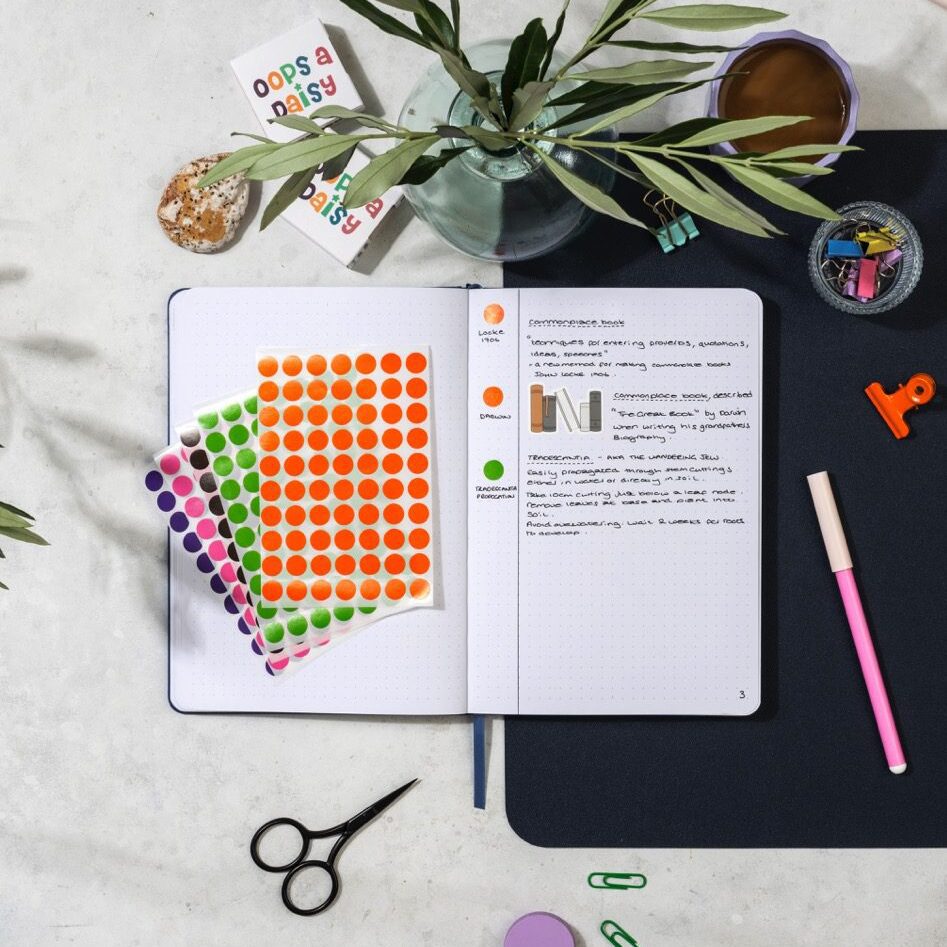
A simple, visual way to organise your thoughts and find them fast!
Starting a commonplace book is easy: you just start writing down the quotes, thoughts, or ideas that resonate with you.
But what happens when your notebook starts to fill up? How do you keep track of what’s where — and actually find those great ideas again?
That’s where the margin method comes in: a simple, flexible way to organise your entries right on the page, without needing apps or spreadsheets.
Let’s walk through how it works — and why it might become your favourite low-tech tool for a high-powered mind.
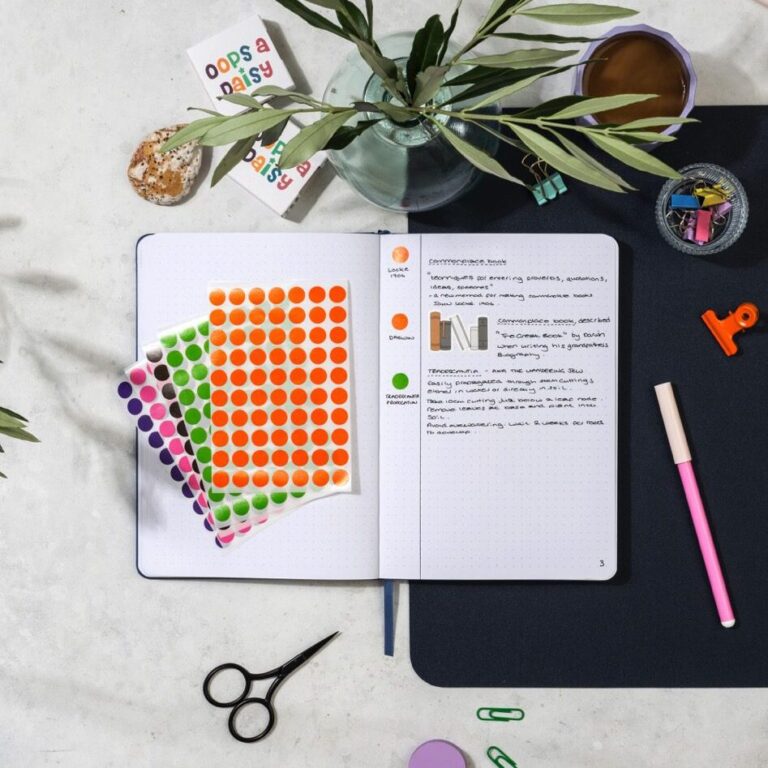
The margin method means using the left or right side of your page as a built-in tagging and reference space.
It gives each entry:
Think of it like creating your own analog metadata — simple but powerful.
Start with a quote, idea, reflection, or excerpt. Write naturally in the main body of the page.
“You do not rise to the level of your goals. You fall to the level of your systems.â€
— James Clear
You can title the entry or underline the source if you like.
Leave about 2cm on the side of each page (left or right — your choice). Here’s what you can add there:
If you’re using a color code system (highlighters or coloured stickers), mark a line, dot, or underline the margin to visually connect it to a category.
Pick one or more to further categorise the entry. For example:
Use a 2–3 letter tag in the margin like:
You’ll use these again in your index.
To make scanning easier later, you can underline the most important phrase or highlight the source name in a consistent color.
If the entry feels important, list it in your index at the front or back of your notebook:
Pg 14 – "You fall to the level of your systems" – 💡 CRV (yellow)
Now it’s easy to find again — with just a glance at the margin or the index.
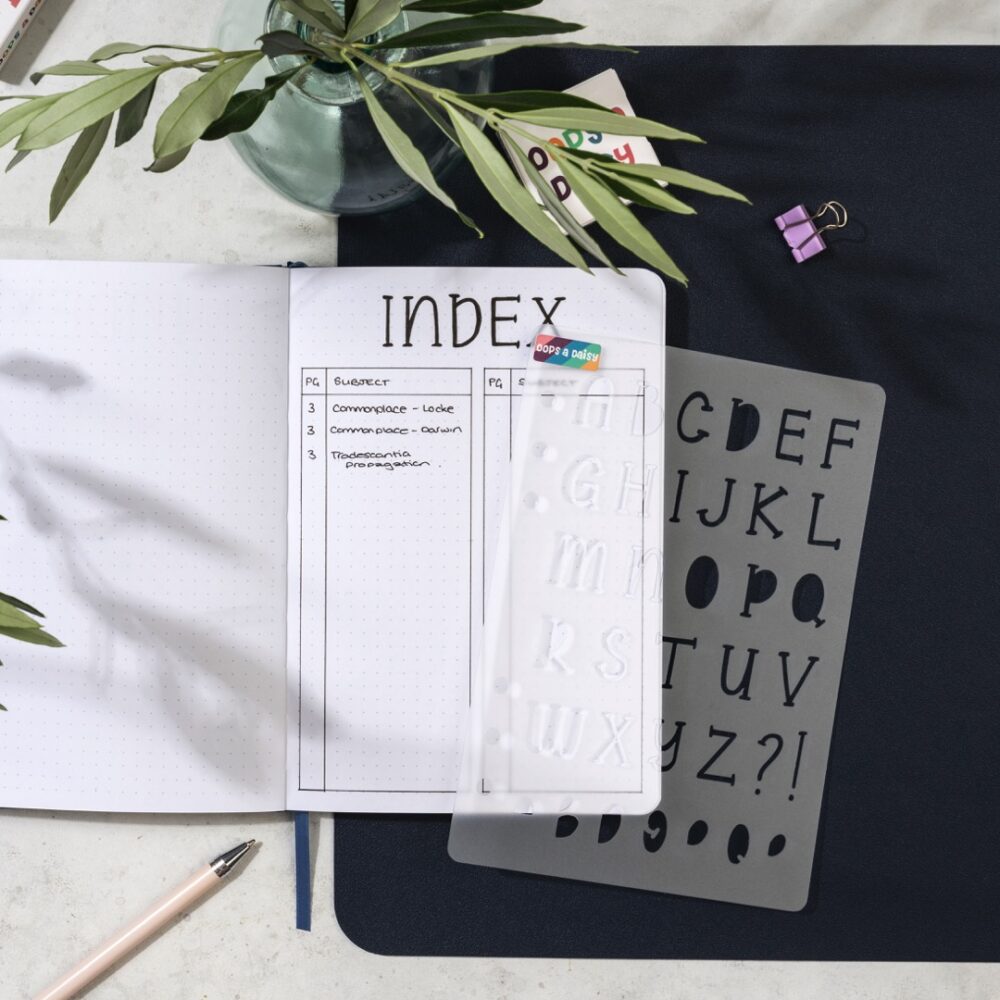
The margin method turns your commonplace book into a smarter, more personal tool. It helps you write freely and find your best ideas later — without interrupting your creative flow.
So next time you add an entry, don’t stop at the quote — add a note in the margin. Future you will thank you.
The Big One is our quarterly journaling subscription, where we take a deeper dive into a self-care, self-development or productivity concept.
For our September 2025 box we will be exploring the concept of Commonplacing in more depth, with a bumper bundle of tools to help you incorporate the method into your journal.
Subscriptions are now open to new subscribers *while stocks last*
Our quarterly journaling subscription, designed to help you explore a self-development or self-care concept all through the medium of gorgeous stationery!